How to log a session record at a visit
Fill in the visit’s record, use Same as last visit, and mark the visit attended.
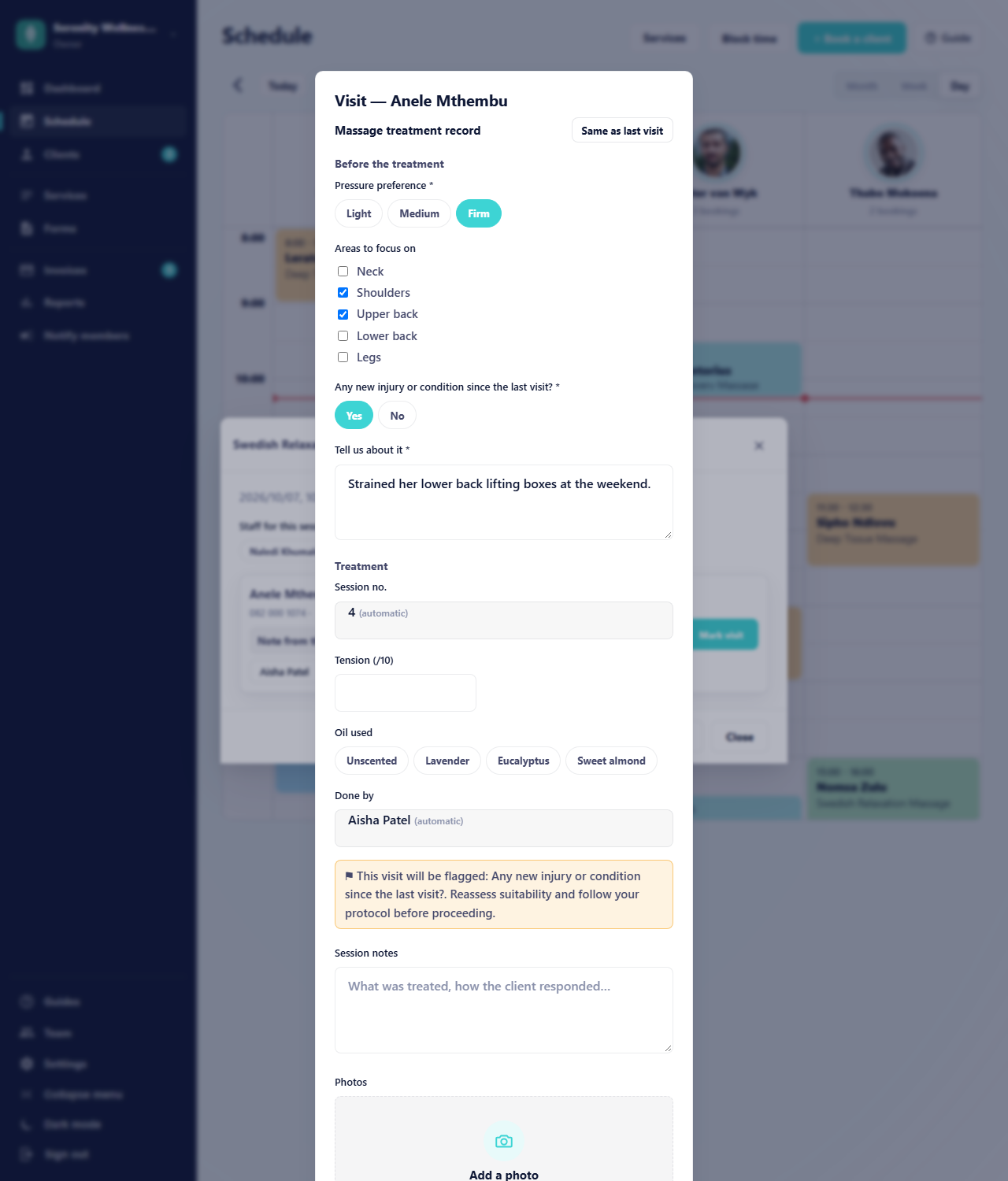
If the visit’s service has a session record template, the record fields appear at the top of the visit panel, above the Session notes.
Steps
- Open Schedule and open the booking you want to record.
- In the session record, fill in the fields. Questions that are not needed stay hidden until they apply.
- If the client answered their pre-session questions, check their answers with them. They are already filled in.
- Click Same as last visit to copy the repeat settings from their previous visit, then change what is different.
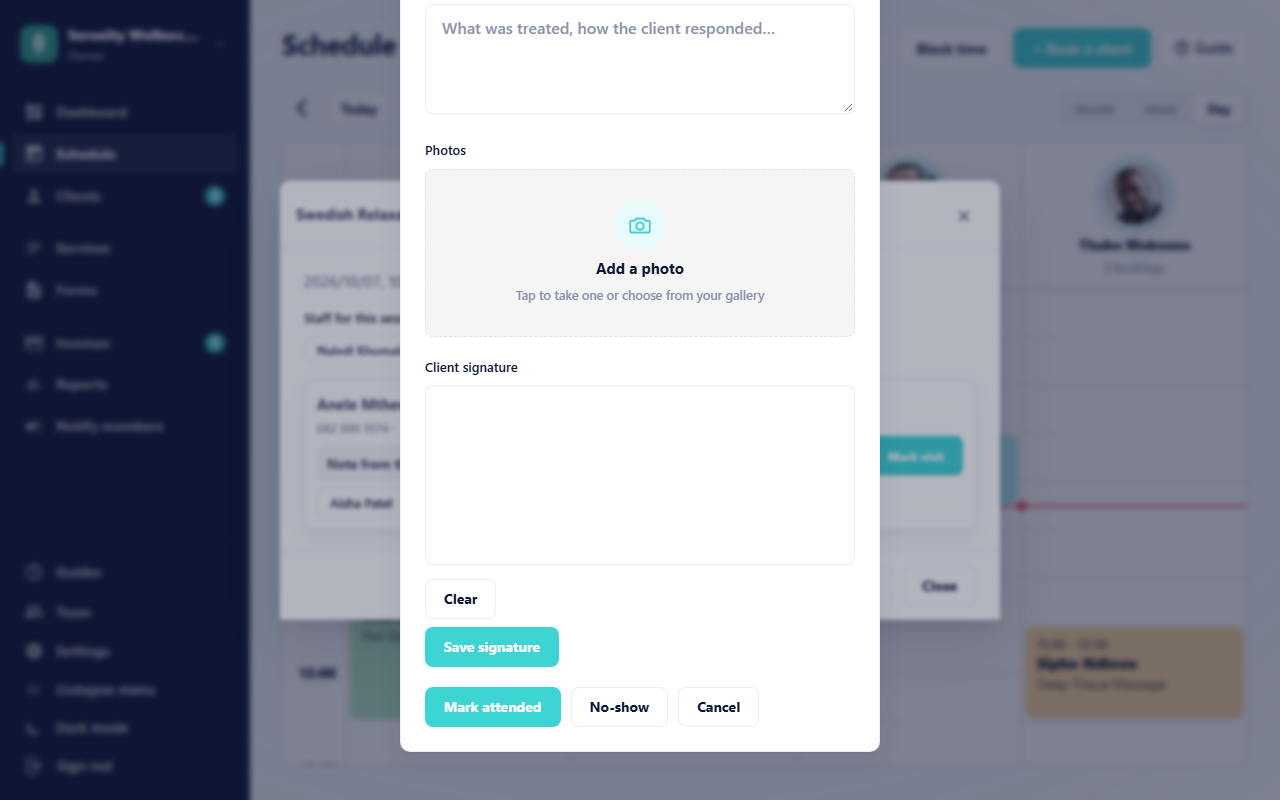
- Add any Session notes, photos or the client’s signature as usual.
- Click Save record only to keep a draft, or Mark attended to complete the visit.
Flags
If an answer is flagged, you see a warning that the visit will be flagged. Reassess and follow your own protocol before going ahead.
Required fields
If the template checks required fields, Mark attended will tell you what is still needed. Save record only always works.
Seeing the history
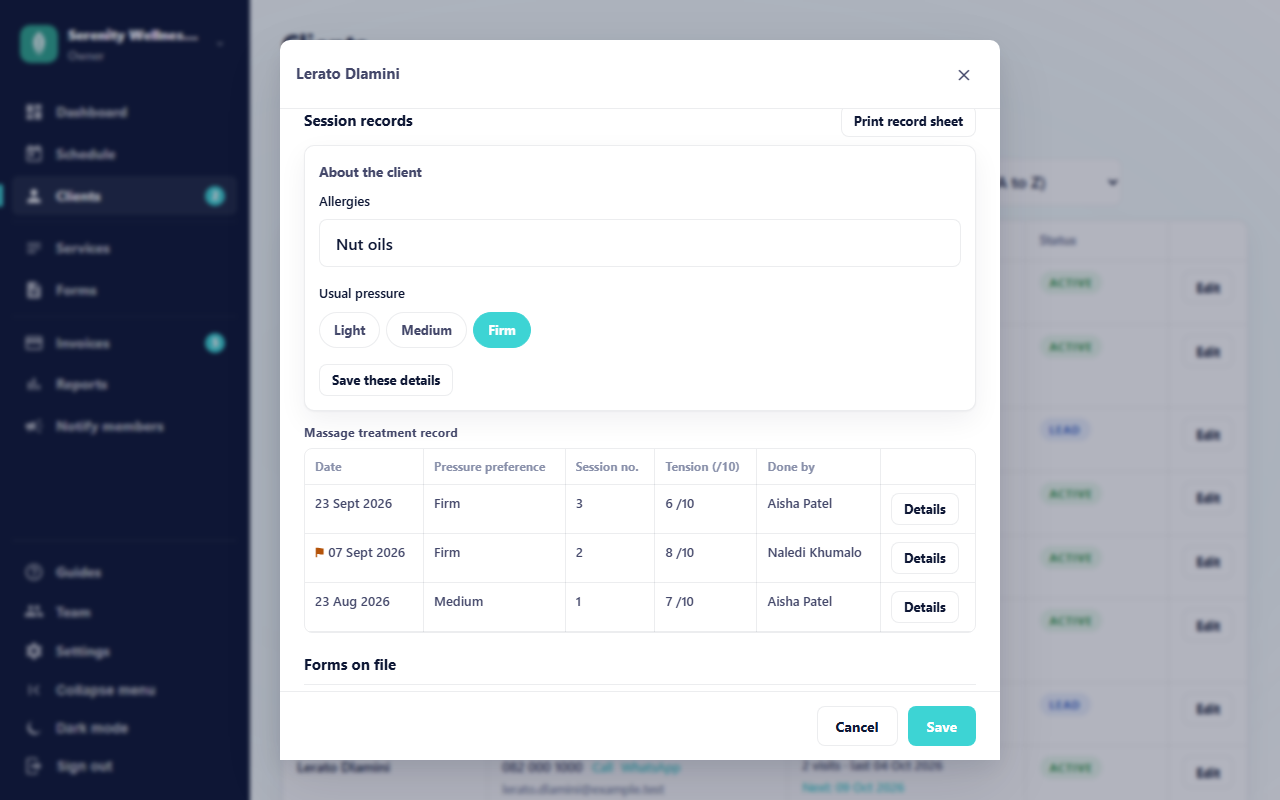
Open the client from Clients. About the client holds the once-per-client facts, and the visit log shows one row per visit, newest first. Click Details on a row to read the whole record. A draft record is labelled as not completed.
Related guides
How to set up session recordsBuild a template for the facts you note at every visit, plus the facts you keep once per client.How to print a client’s record sheetPrint or save as PDF a tidy sheet of the client’s details, visit log and each visit in full.Who can see session records (assigned-only visibility)Choose whether every team member sees every client’s records, or only the visits assigned to them.The client profile: details, notes, booking history and formsEverything about one client in one place: contact details, notes, past visits, invoices and completed forms.