How to print a client’s record sheet
Print or save as PDF a tidy sheet of the client’s details, visit log and each visit in full.
Steps
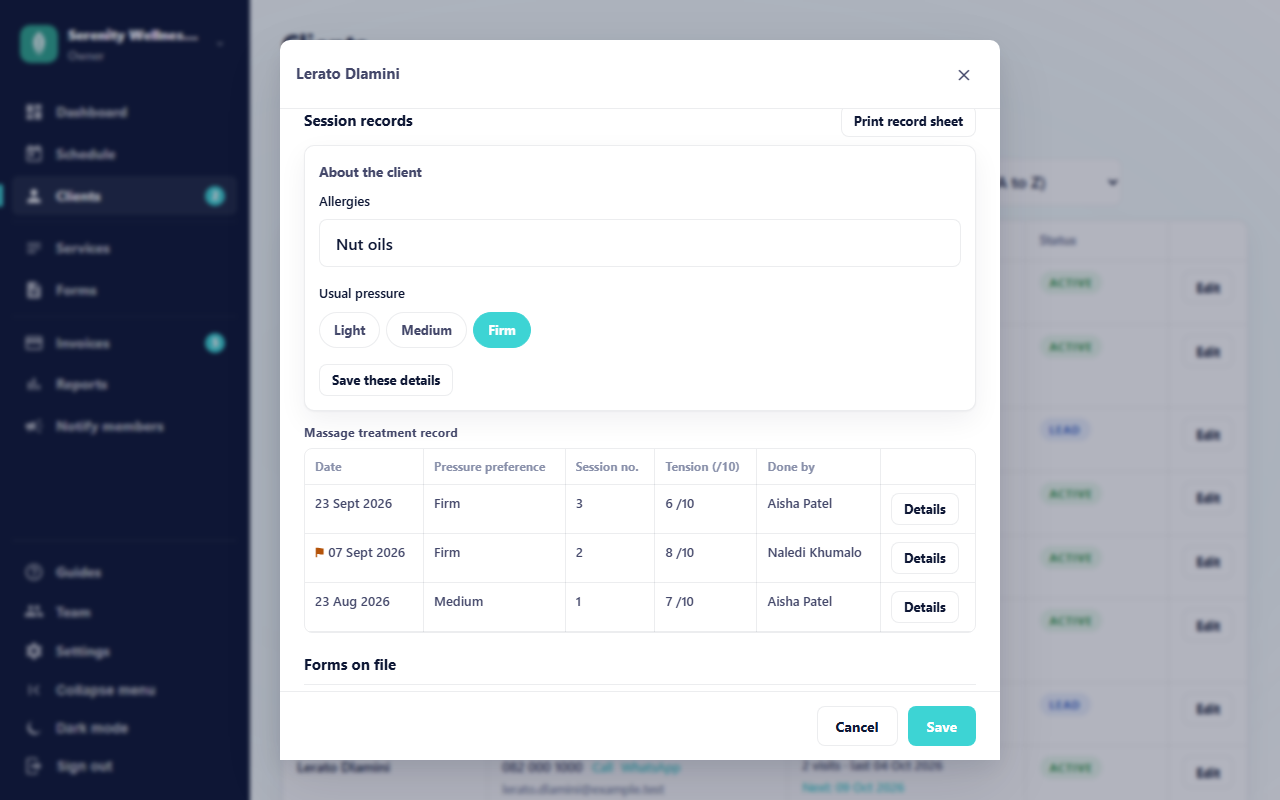
- Open Clients and open the client.
- In Session records, click Print record sheet. It opens in a new tab.
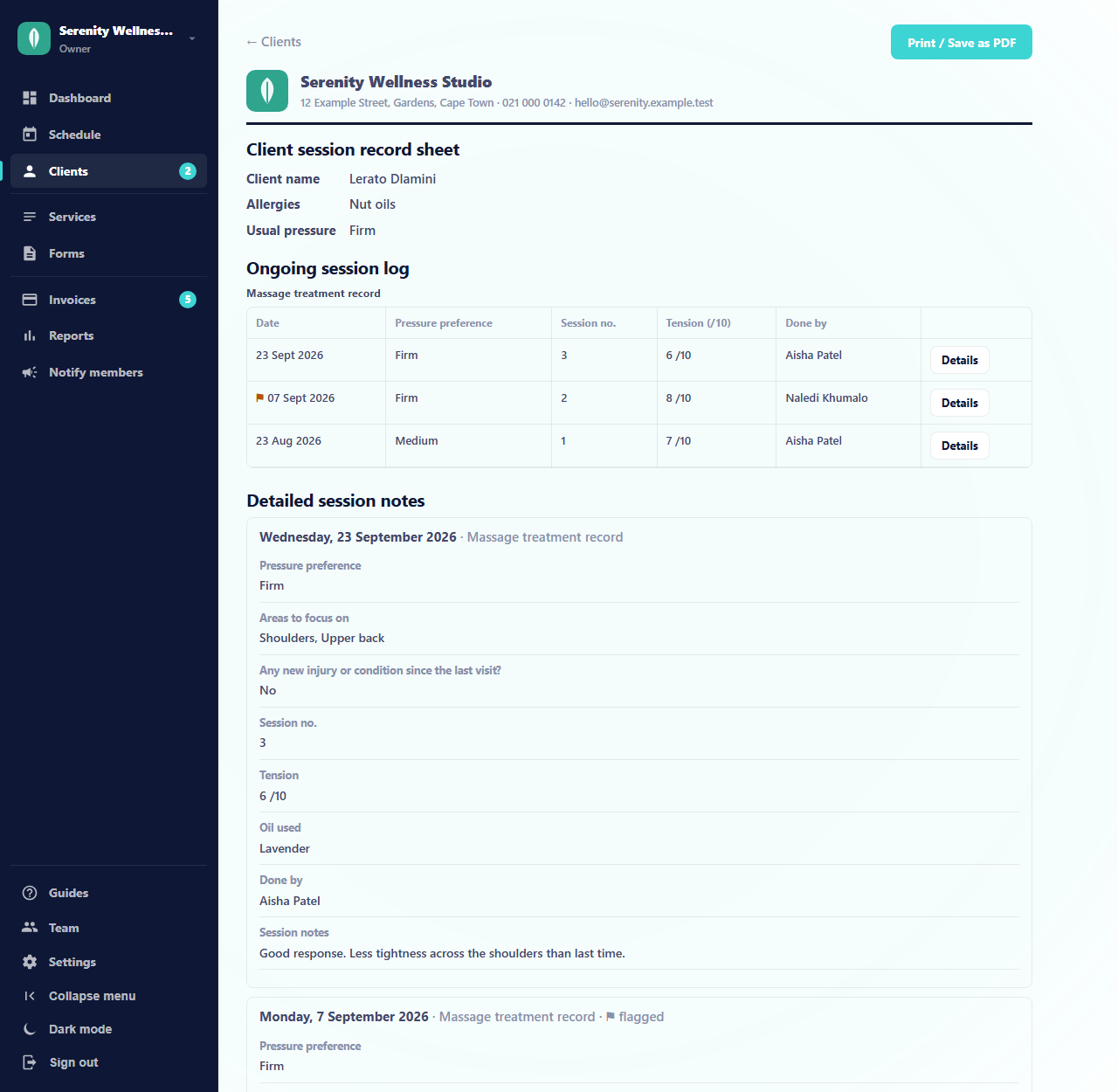
- Check the sheet, then click Print / Save as PDF.
- Choose a printer, or choose Save as PDF in the print window.
What is on the sheet
Your business name, logo and contact details, the client’s name and once-per-client details, the Ongoing session log table, then Detailed session notes for each visit. The date and time of printing is at the bottom.