The client’s “Before your visit” page (pre-session questions)
Let clients answer your health or readiness questions before they arrive, using their private booking link.
If you use session records, you can mark certain questions as “The client answers this themselves before the visit”. The client gets a private page for it. You do not have to send anything by hand.
Steps
- Open Settings and go to the Session records tab.
- Open your template and open the field you want the client to answer.
- Tick “The client answers this themselves before the visit”, then click Save template.
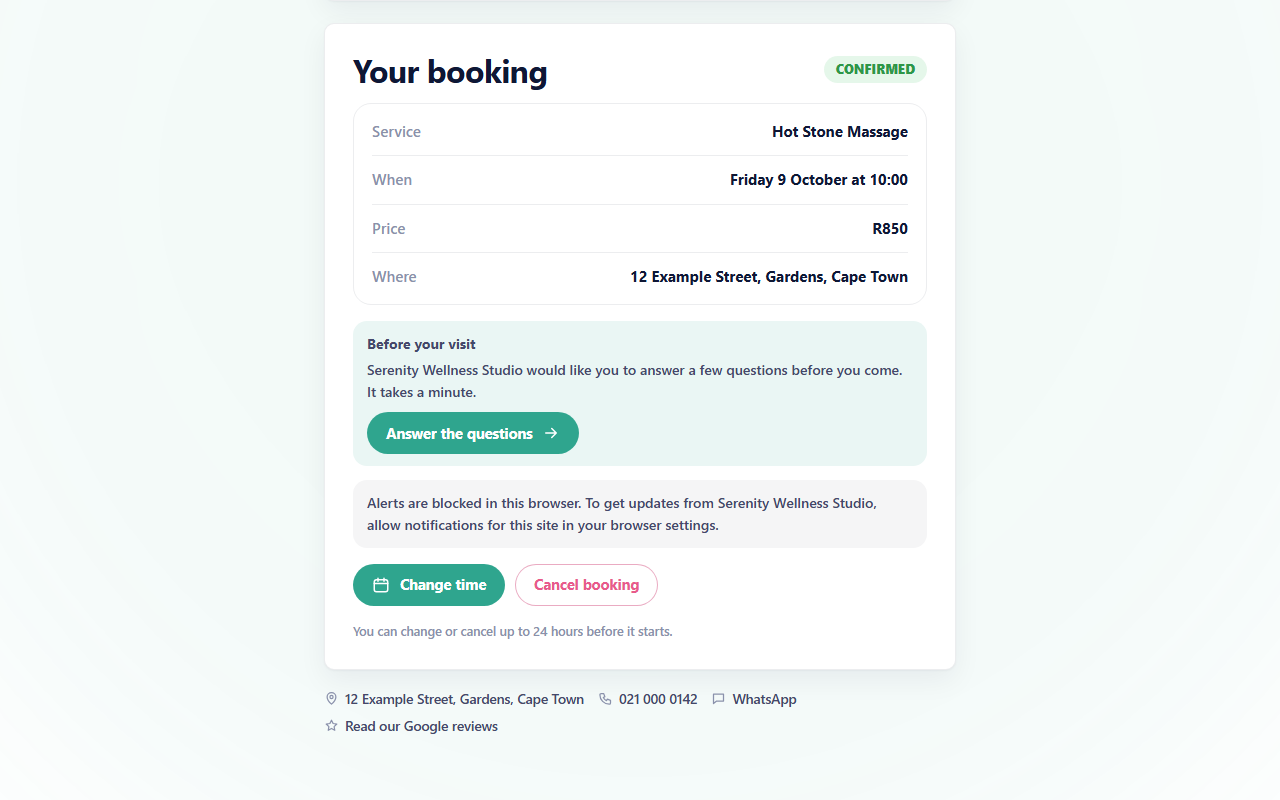
- When a client books, their confirmation email and their booking page show a Before your visit card with an Answer the questions button.
- On the day, open the visit in Schedule. You will see “The client answered their pre-session questions” with their answers filled in.
- Check the answers with the client and save the record.
What the client sees
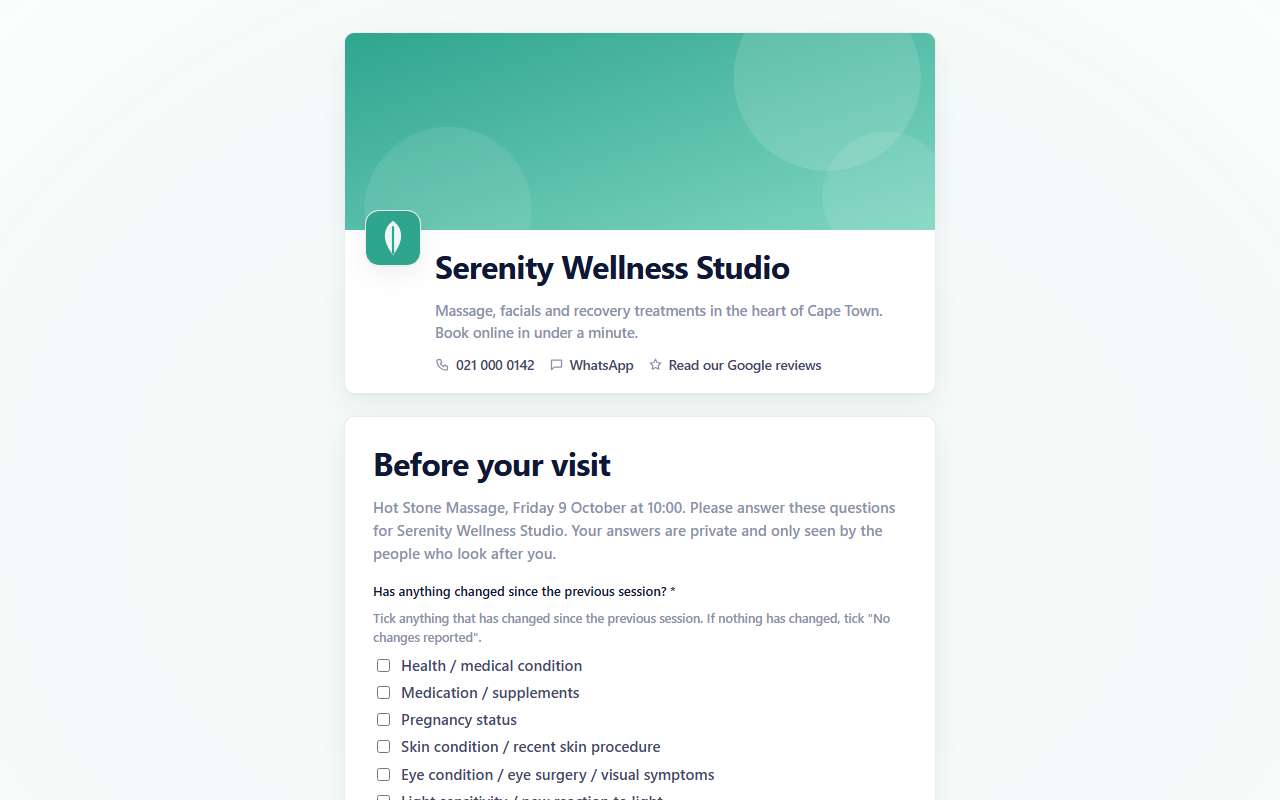
A simple page headed Before your visit with the service and time, only the questions you marked, and a Send my answers button. After sending they see Thank you, and can change their answers until the visit by coming back (the button then reads Send my changes).
When it is open
- It opens 14 days before the visit and closes 12 hours after it starts.
- It closes as soon as you complete the visit record.
- If it is closed, the client is told to speak to the business at their visit.
Good to know
- Clients only ever see the questions you marked for them, never your own notes or other answers.
- The link is the same private link as their booking page, so only the person who booked can use it.
- A reported change can flag the visit before the client arrives.
- The reminder email also includes the link until they have answered.
Related guides
How to set up session recordsBuild a template for the facts you note at every visit, plus the facts you keep once per client.How to log a session record at a visitFill in the visit’s record, use Same as last visit, and mark the visit attended.Record field types, flags and show-only-if rulesWhat each kind of session record field does, and how to show a question only when it is needed.