How to download or erase a client’s data (POPIA)
Give a client a copy of everything you hold about them, or permanently erase them if they ask.
Under POPIA a client can ask what you hold about them, or ask you to remove it. These two buttons are on the client’s profile, in the Privacy (POPIA) section, for the owner and administrators.
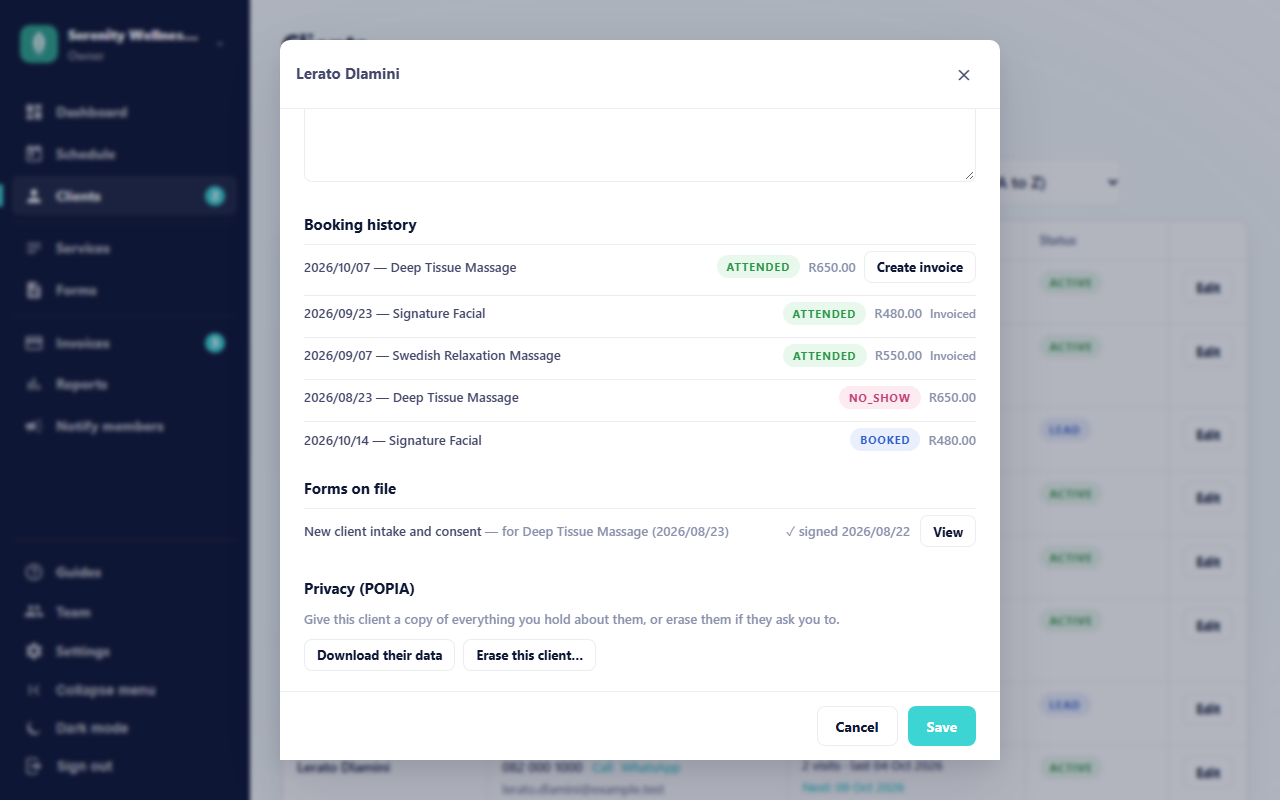
Steps
- Open Clients and open the client.
- Scroll to Privacy (POPIA).
- To give them a copy, click Download their data.
- To remove them, click Erase this client….
- Read the warning, type ERASE in the box, then click Erase permanently. Click Keep them if you change your mind.
What erasing does
- It permanently removes their form responses, photos and signatures, and their contact details.
- If the client has invoices, the invoices stay (they are tax records) but the client is renamed “Erased client”.
- If they have no invoices, the client and their bookings are deleted.
- Session records are removed with the client.
- It cannot be undone.
How long you keep records
Nothing is deleted automatically from your clients’ records. How long you must keep them can depend on your profession, so ask your professional body or adviser if you are unsure.