Owner, Administrator and Team member: what each can do
The three roles, and the extras you can tick for a Team member.
Steps
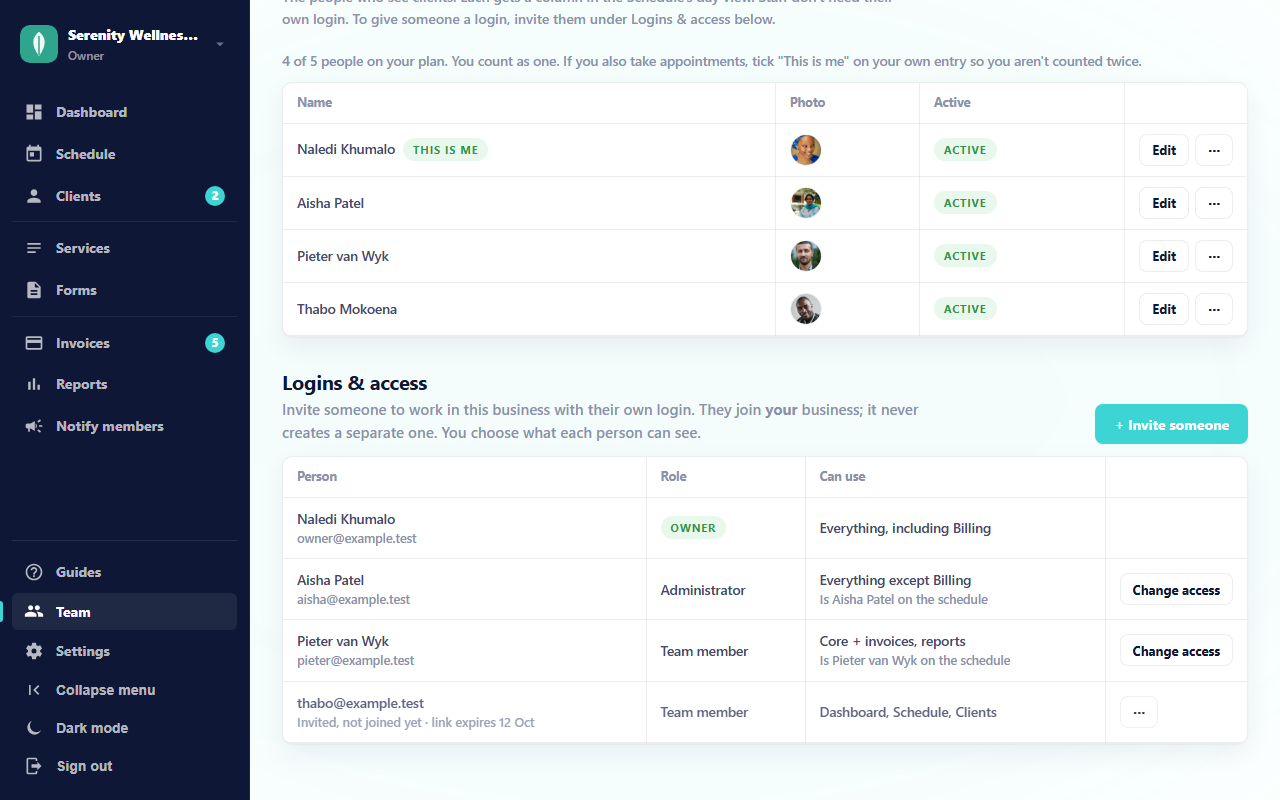
- Open Team, then “Logins & access”.
- Click “Change access” on the person.
- Pick the role and tick or untick the extras.
- Click “Save access”.
Owner
The login that owns the business. Can use everything, including Billing. Billing is only ever for the owner.
Administrator
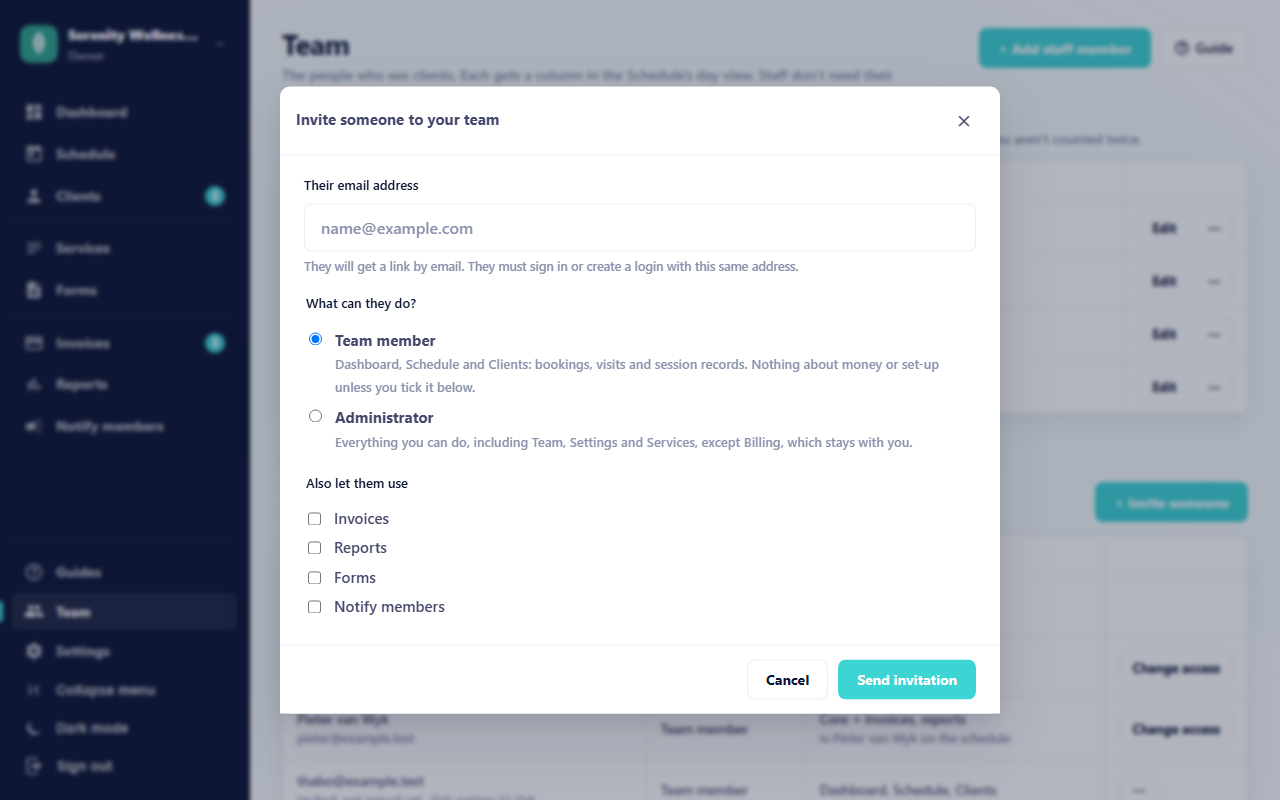
Everything except Billing. That includes Team, Settings, Services, Forms, Invoices, Reports and Notify members. Choose this for someone you trust to run the business with you.
Team member
Dashboard, Schedule and Clients (bookings, visits and session records). Nothing about money or set-up unless you tick it. A Team member never sees Billing, Team, Settings or Services.
The extras for a Team member
- Invoices
- Reports
- Forms
- Notify members