I cannot see a menu item (permissions)
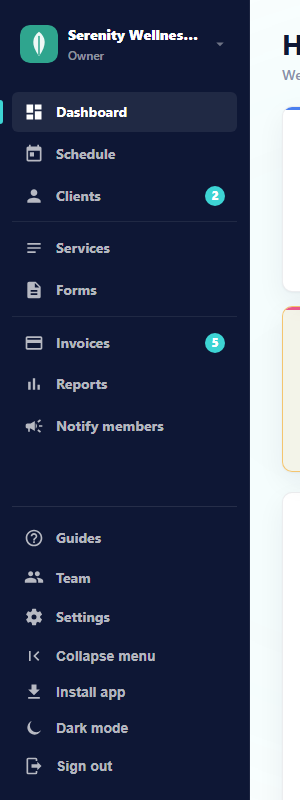
Menu items depend on your role. Ask the owner to give you access.
Steps
- Ask the owner to open Team, then “Logins & access”.
- They click “Change access” beside your name.
- They tick the extra you need, or make you an Administrator, and click “Save access”.
- Refresh the app.
What each role sees
- Team member: Dashboard, Schedule and Clients, plus any extras the owner ticked: Invoices, Reports, Forms or Notify members.
- Administrator: everything except Billing.
- Owner: everything.
- Services, Settings and Team are only for administrators and the owner.