Revenue report: money collected and money owed
See what you were paid, what you invoiced, what is still outstanding, and by which payment method.
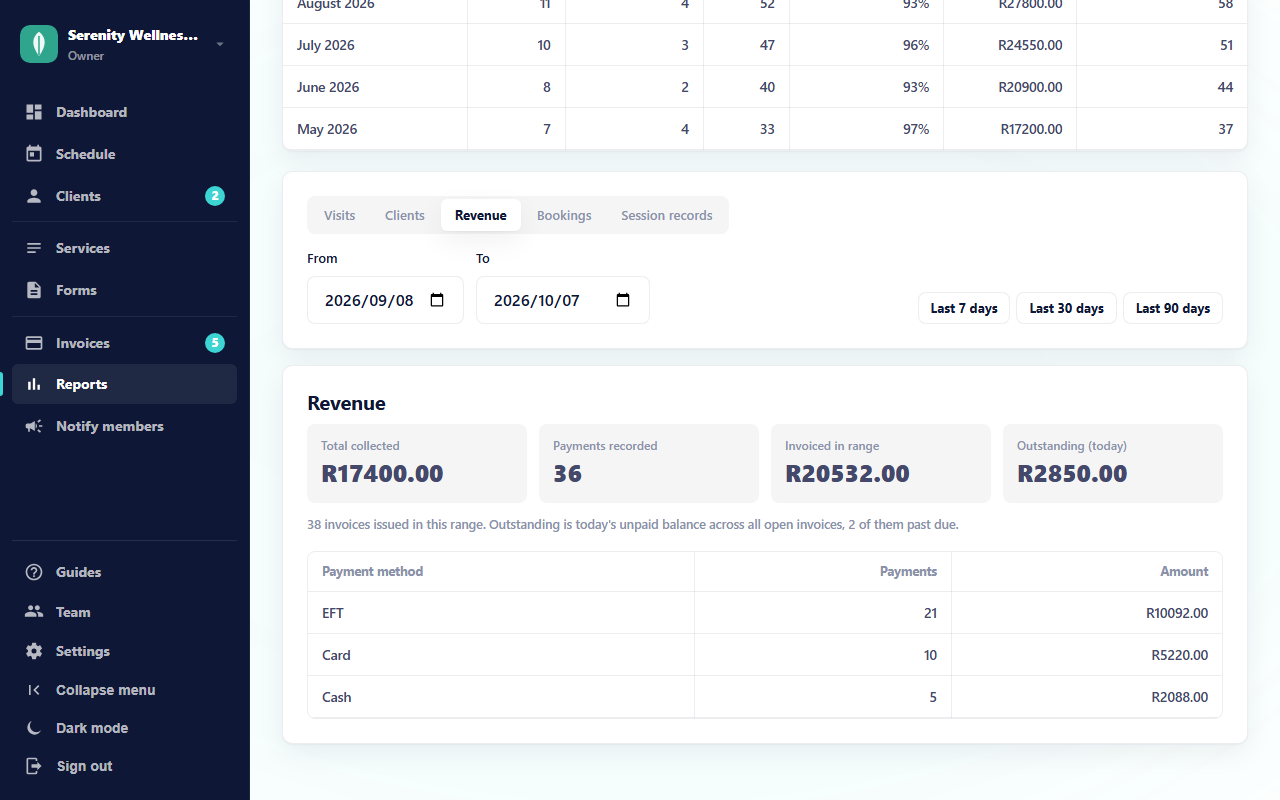
Steps
- Open Reports and click the “Revenue” tab.
- Choose your date range.
- Read Total collected, Payments recorded, Invoiced in range and Outstanding (today).
- Scroll to the table to see payments split by method, for example EFT and cash.
What each figure means
- Total collected: the payments you recorded with a date in this range.
- Invoiced in range: invoices issued in this range, and how many.
- Outstanding (today): today’s unpaid balance across all open invoices, no matter the dates chosen. The note says how many are past due.