Clients report: new, first-time and returning clients
See how many new clients you gained and how many came back.
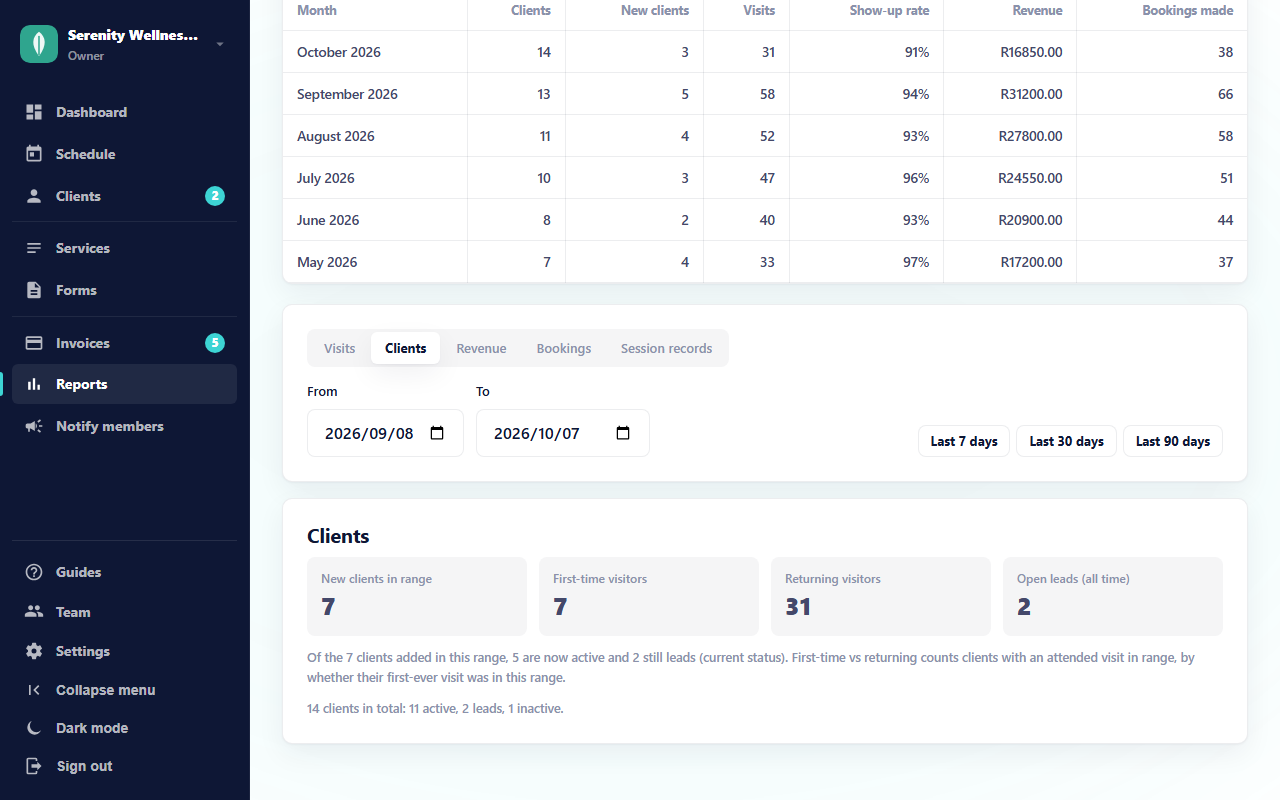
Steps
- Open Reports and click the “Clients” tab.
- Choose your date range.
- Read: New clients in range, First-time visitors, Returning visitors and Open leads (all time).
What the words mean
- New clients in range: clients added in these dates. The note says how many are now active and how many are still leads.
- First-time visitors: clients whose very first attended visit was inside this range.
- Returning visitors: clients who attended in this range but had visited before.
- The last line shows your total clients split into active, lead and inactive.