Bookings report: how many bookings were made
See bookings created in a range, and how they stand today.
Steps
- Open Reports and click the “Bookings” tab.
- Choose your date range.
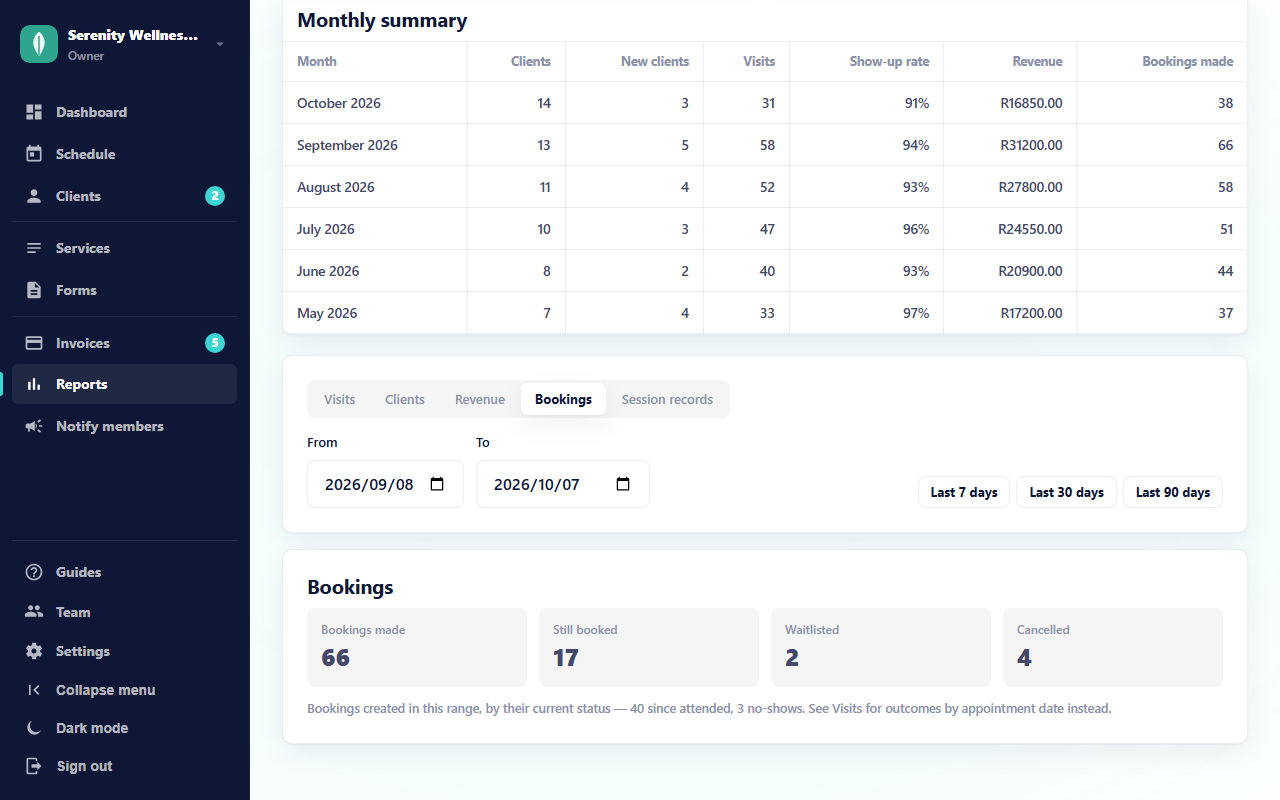
- Read: Bookings made, Still booked, Waitlisted and Cancelled.
Bookings versus visits
This tab counts bookings by the day they were created, with their status today. The note also shows how many have since been attended or were no-shows. The Visits tab counts by appointment date instead. Use Bookings to see demand, and Visits to see what actually happened.