How to merge duplicate clients
Join two records of the same person so their bookings, invoices and forms sit under one client.
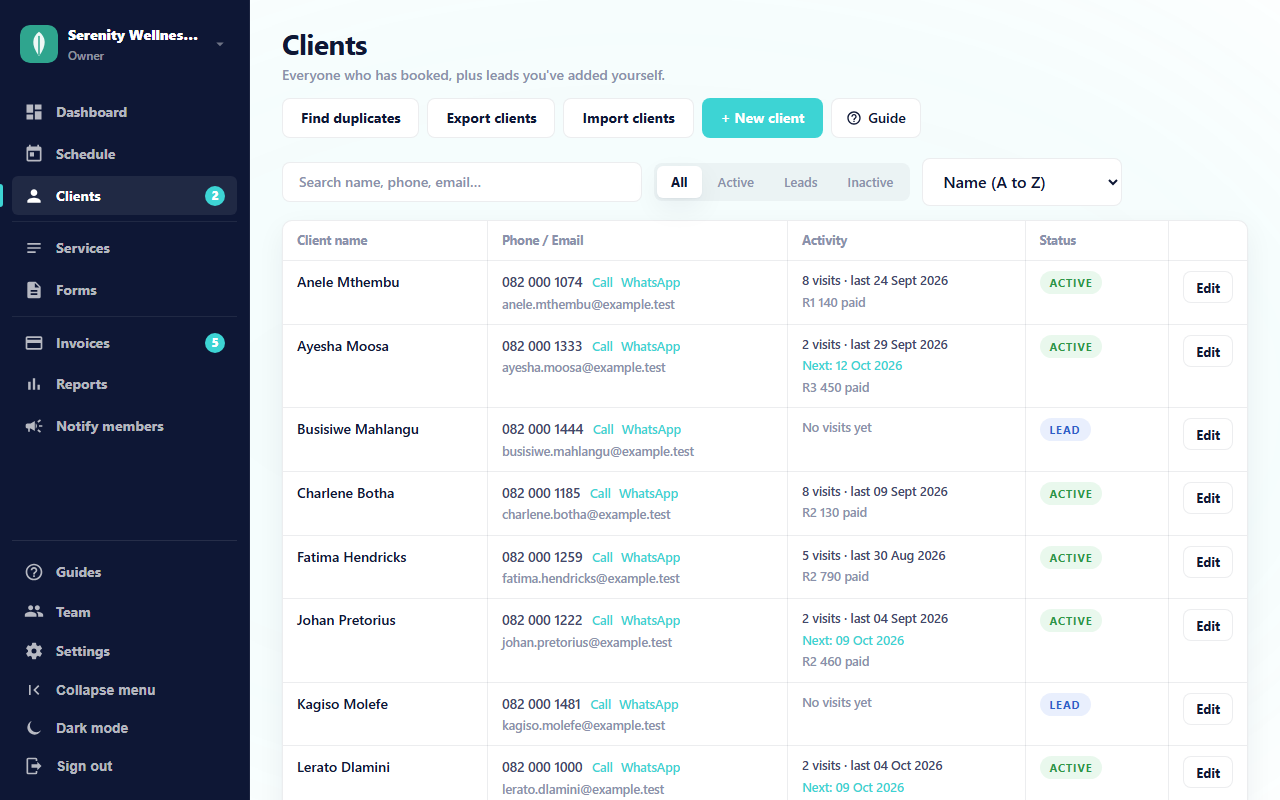
Find duplicates is shown to the owner and administrators. It looks for clients with the same email, the same phone number (in any format) or the same name.
Steps
- Open Clients and click Find duplicates (it shows a number when some are found, like Duplicates (2)).
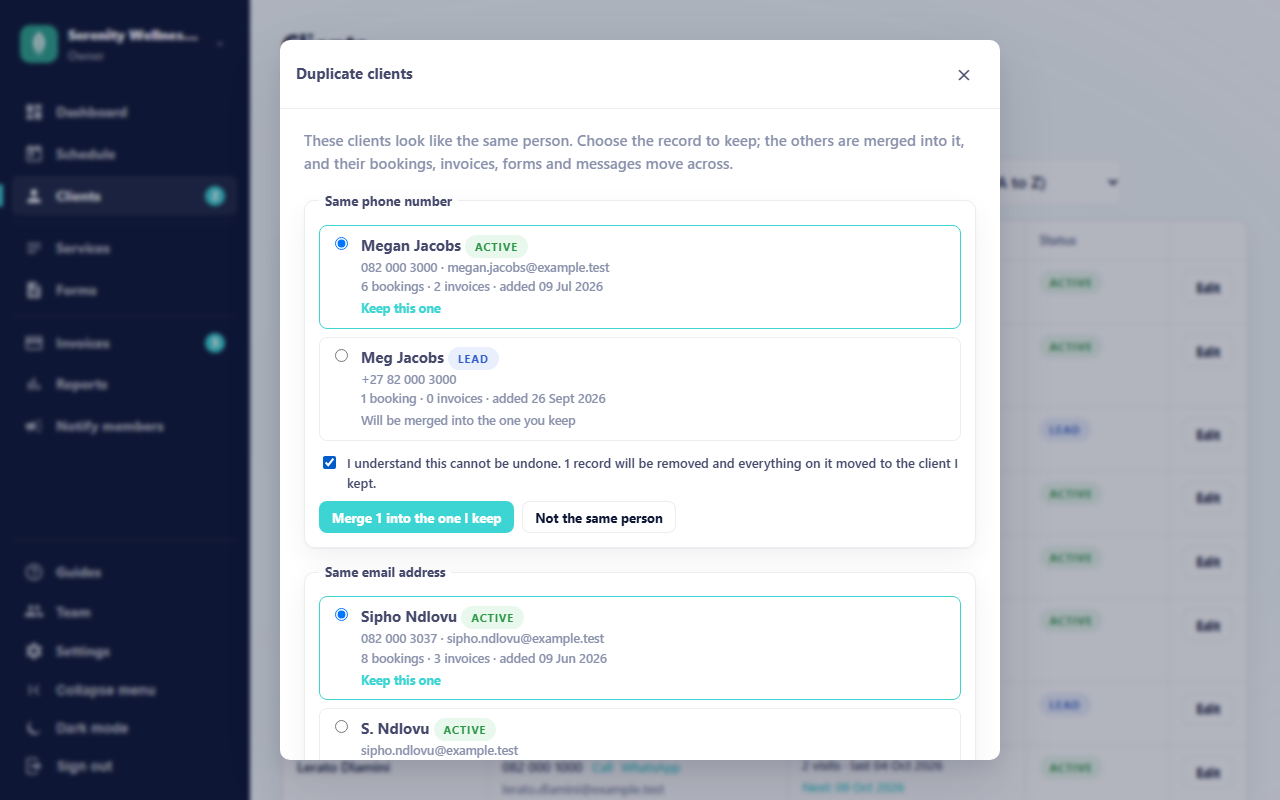
- Look at each group. For each client you can see their phone, email, bookings, invoices and when they were added.
- Choose the one to keep by selecting the radio button next to their name. The client with the most history is suggested.
- Tick “I understand this cannot be undone”.
- Click Merge into the one I keep.
What happens
Their bookings, invoices, forms and messages move to the client you kept, and the extra records are removed. You will see a message saying how many bookings and invoices moved.
Not the same person?
Two different people can share a phone number or a name (a mother and daughter, for example). Click Not the same person to hide that group. It is hidden on this device only.
Related guides
How to add a client (and what a lead is)Add someone yourself, or let them appear when they book, and choose whether they are a lead, active or inactive.The client profile: details, notes, booking history and formsEverything about one client in one place: contact details, notes, past visits, invoices and completed forms.