How to set your invoicing defaults
Choose your invoice number prefix, payment terms and VAT settings once.
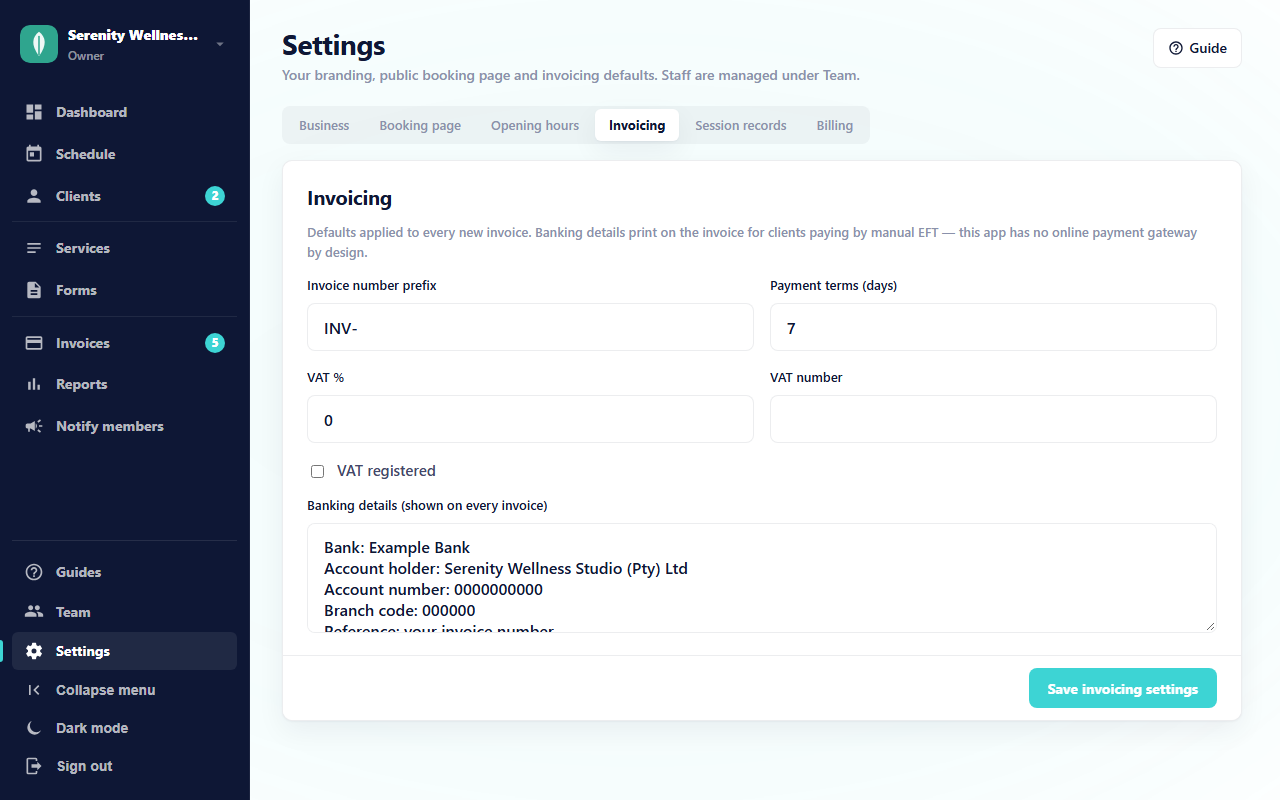
Steps
- Open Settings and click the “Invoicing” tab.
- Set “Invoice number prefix”, for example INV-.
- Set “Payment terms (days)”, which decides the due date.
- Set “VAT %” if you charge VAT. Leave it at 0 if you do not.
- Tick “VAT registered” if you are registered, and fill in “VAT number”.
- Add your banking details in the box below.
- Click “Save invoicing settings”.
Good to know
- These are defaults for new invoices. They do not rewrite invoices you already sent.
- The VAT number box stays greyed out until “VAT registered” is ticked.
- If you are not VAT registered, leave VAT at 0 and the invoice simply says INVOICE.