How to put your banking details on every invoice
Add your bank details once, and they print on every invoice and show on the client’s invoice page.
Steps
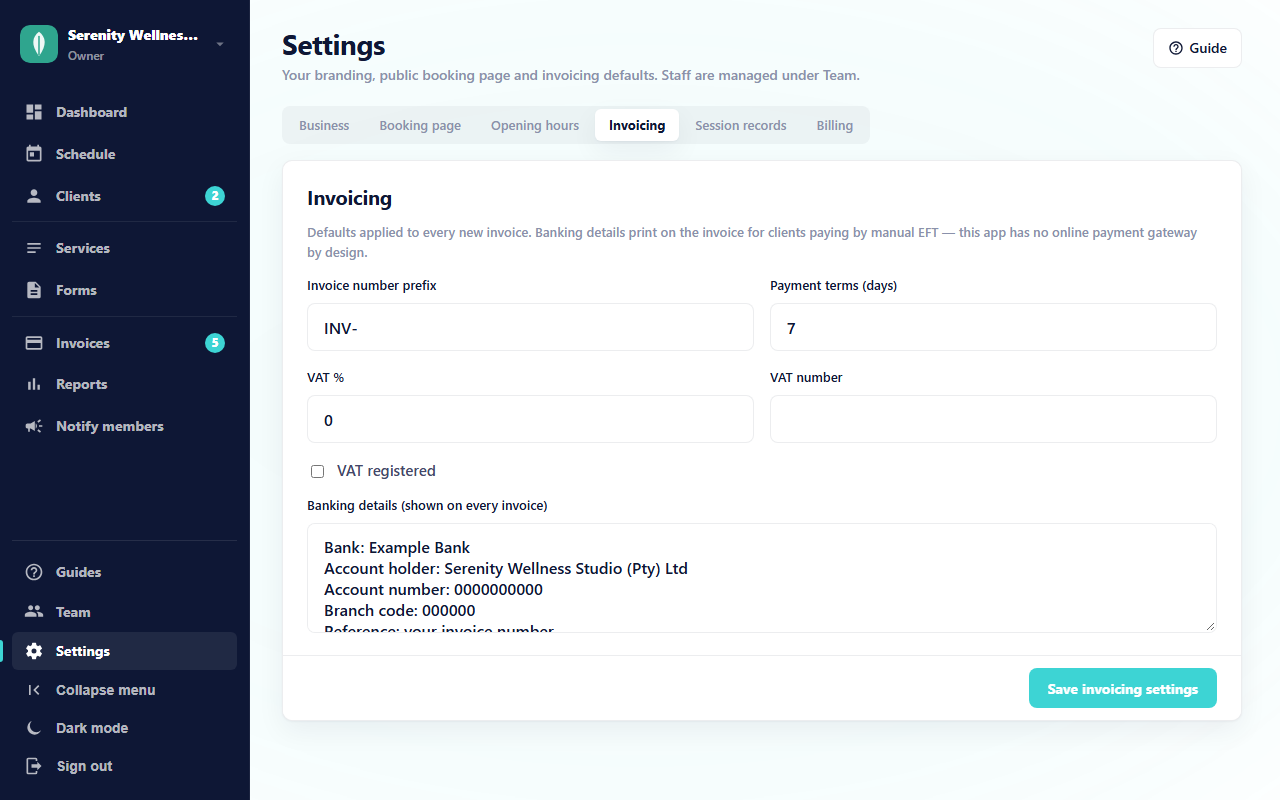
- Open Settings and click the “Invoicing” tab.
- Find the box called “Banking details (shown on every invoice)”.
- Type your bank, account holder, account number, branch code and a reference line. Use a new line for each.
- Click “Save invoicing settings”.
Where it shows
- In a grey “Payment details” box when you open an invoice.
- At the bottom of the printed or PDF invoice.
- On the client’s own invoice page.