How to search, filter and sort your clients
Find a client by name, phone or email, show only leads or active clients, and sort by visits or spend.
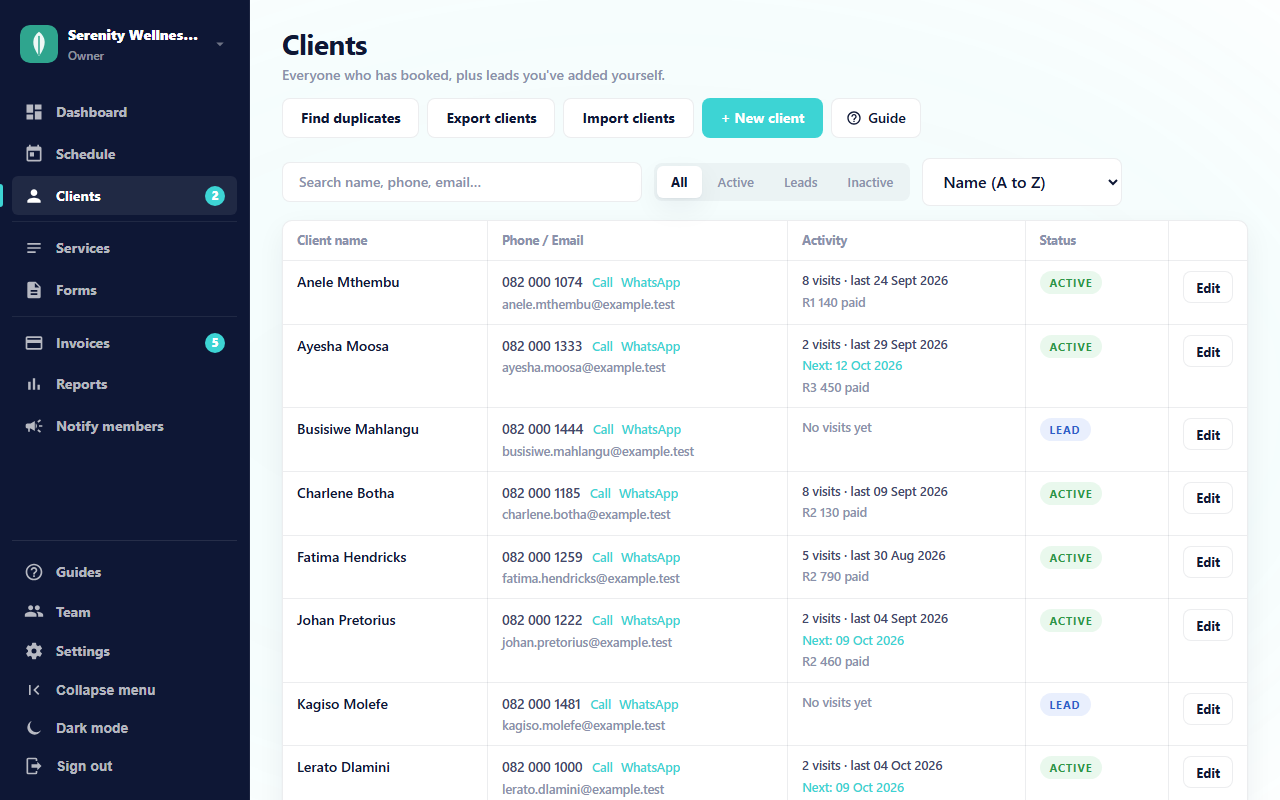
Steps
- Open Clients in the menu.
- Type in the search box (Search name, phone, email…) and press Enter or click away.
- Use the status buttons to show All, Active, Leads or Inactive clients.
- Use the Sort clients list to reorder them.
- Click a client’s name, or Edit, to open them.
Sort choices
- Name (A to Z)
- Most recent visit
- Most visits
- Highest spend
- Newest clients
- Not seen for longest: handy for finding clients to bring back.
What each row shows
Each row shows the client’s phone and email, how many visits they have had and when the last one was, their next booking, and how much they have paid. There are Call and WhatsApp links next to their number. A small flag mark next to a name means the latest session record has a flagged answer.