How many people does my plan cover?
Who counts as a person on your plan, and what to do near the limit.
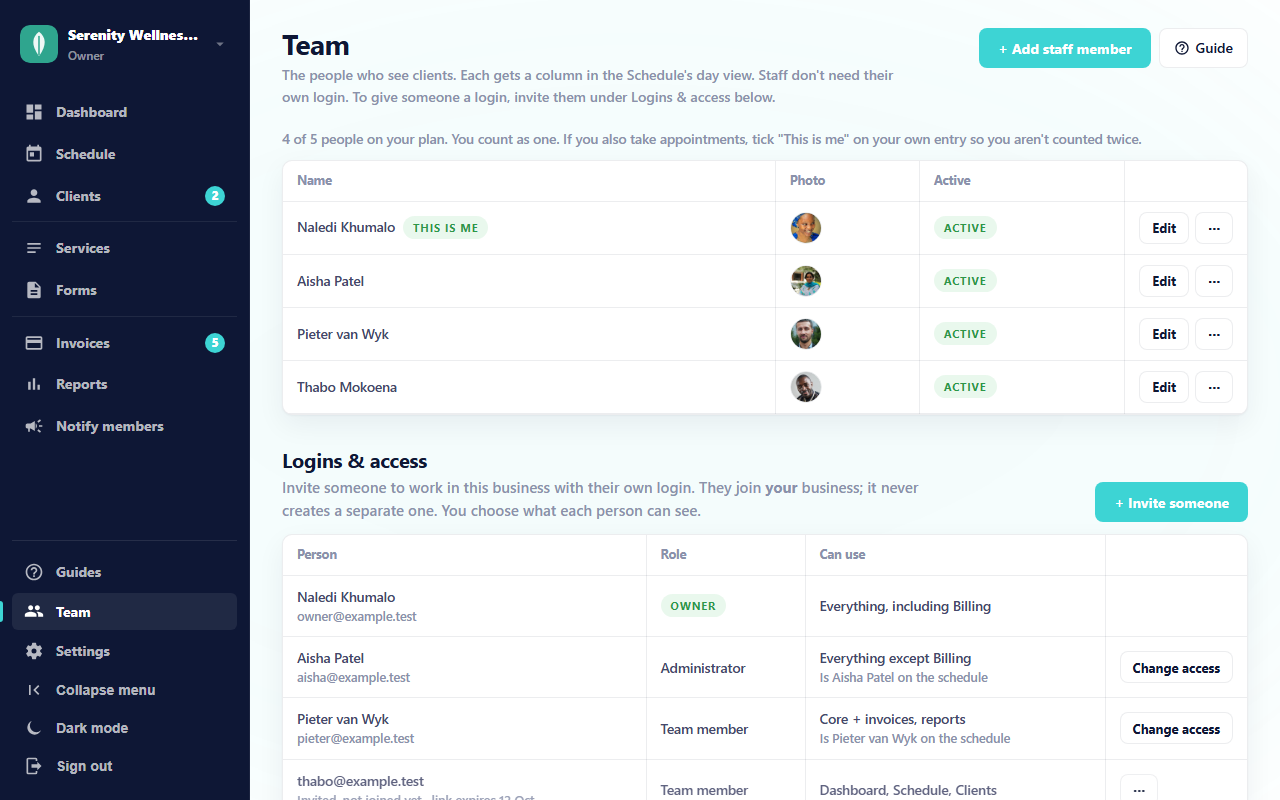
Who counts
- You, the owner, always count as one.
- Every active person on the staff roster counts as one more.
- Deactivated people do not count.
- If you are on the roster too, tick “This is me” so you count once.
The limits by plan
- Solo: 1 person.
- Team: up to 3.
- Business: up to 5.
- Business Plus: up to 10.
Near the limit
The Team screen shows “N of M people on your plan”. When a limit is enforced for your account, adding another person is blocked and you are pointed to “Upgrade to add more”. Choosing a bigger plan is under Settings, Billing. Logins for other users are separate from the roster count.