Stop last-minute bookings with minimum notice
Choose how far ahead clients must book, from 1 hour to 1 week.
Useful if you need time to prepare, travel or confirm.
Steps
- Go to Settings and open the Booking page tab.
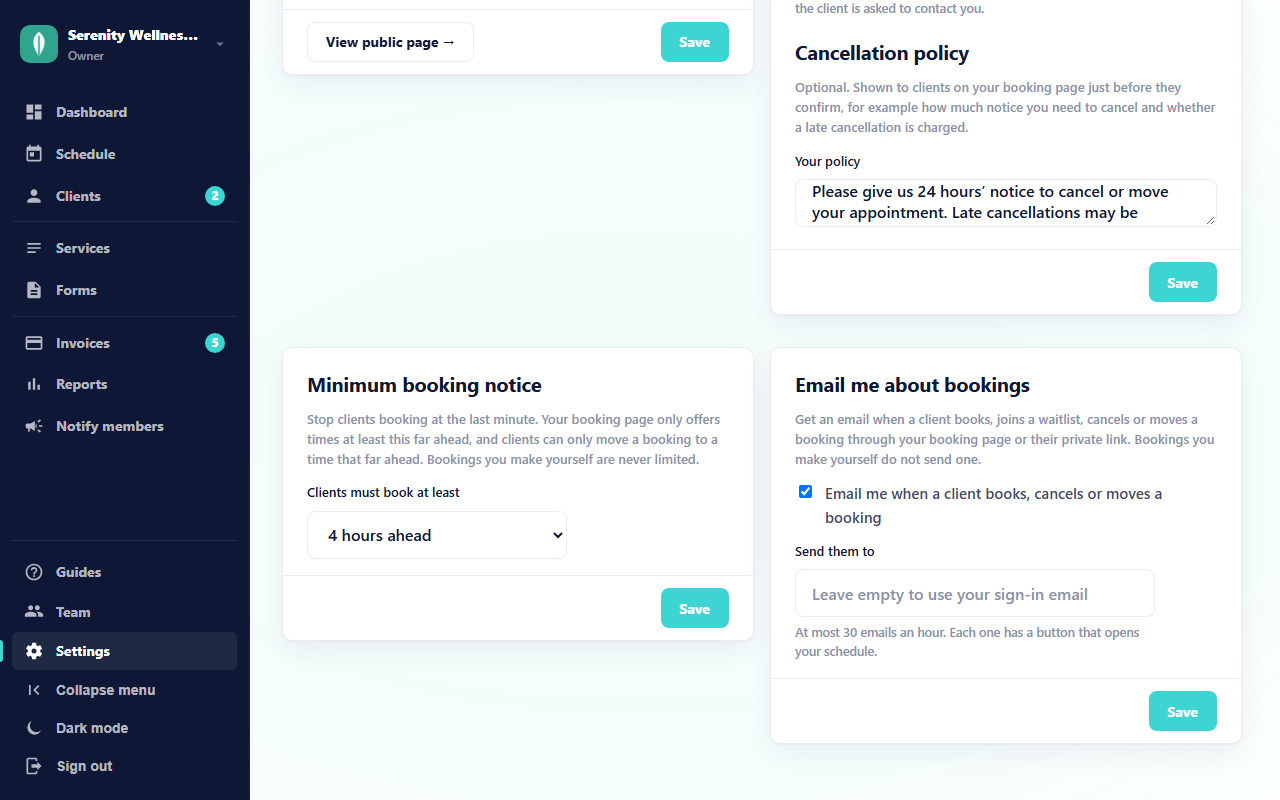
- Scroll to Minimum booking notice.
- Open the Clients must book at least list and choose a time, from No minimum up to 1 week ahead.
- Tap Save.
How it works
- Your booking page only offers times at least that far ahead.
- Clients changing a booking from their link can only move it to a time that far ahead.
- Bookings you make yourself are never limited.
Related guides
The client's manage linkHow clients cancel or change their own booking, and how to set the cut-off.Book a client yourselfAdd a booking on a client's behalf, for a phone call, walk-in or message.Make your booking page live and share the linkChoose your web address, switch the page on and share it with clients.