How to turn WhatsApp on and top up your wallet
Switch WhatsApp updates on, then add money to your wallet by card.
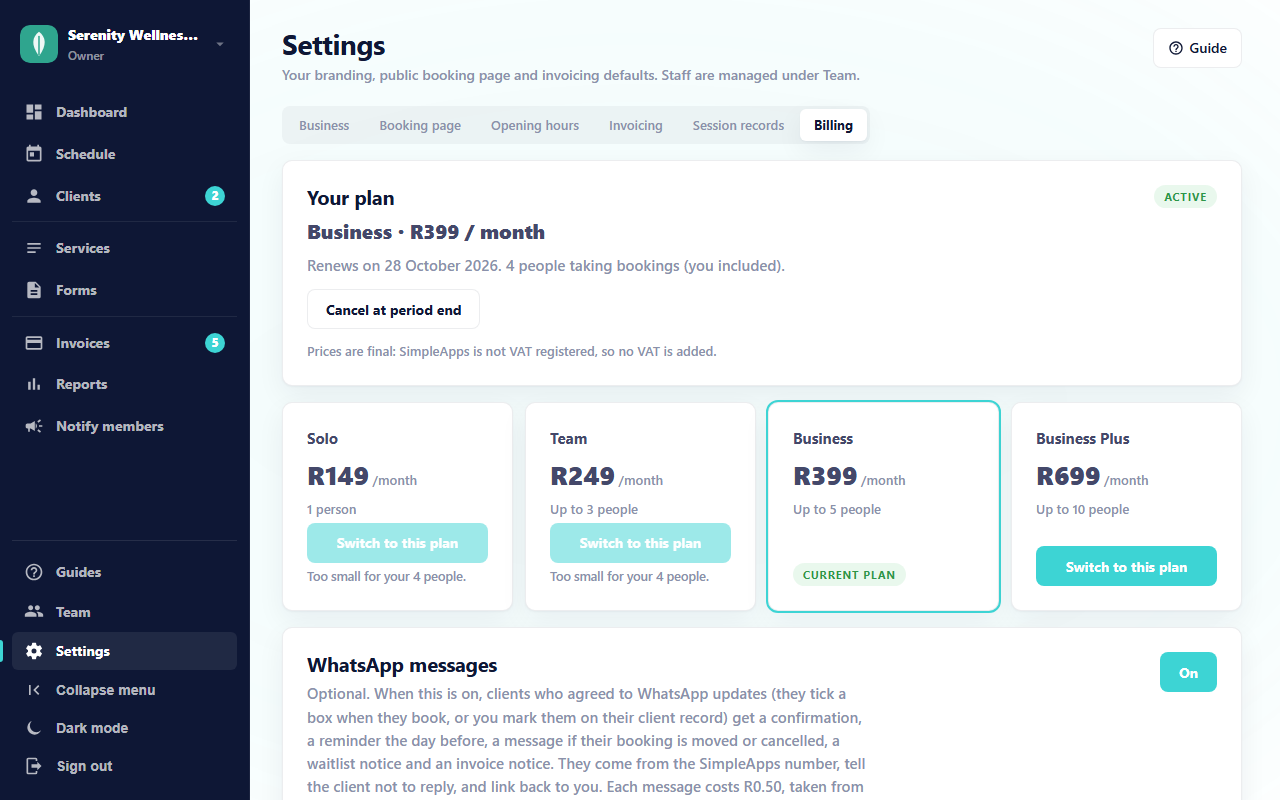
Only the account owner can do this. It lives under Settings, Billing.
Steps
- Open Settings and click the “Billing” tab.
- Find the “WhatsApp messages” card.
- Click the “Off” button so it reads “On”.
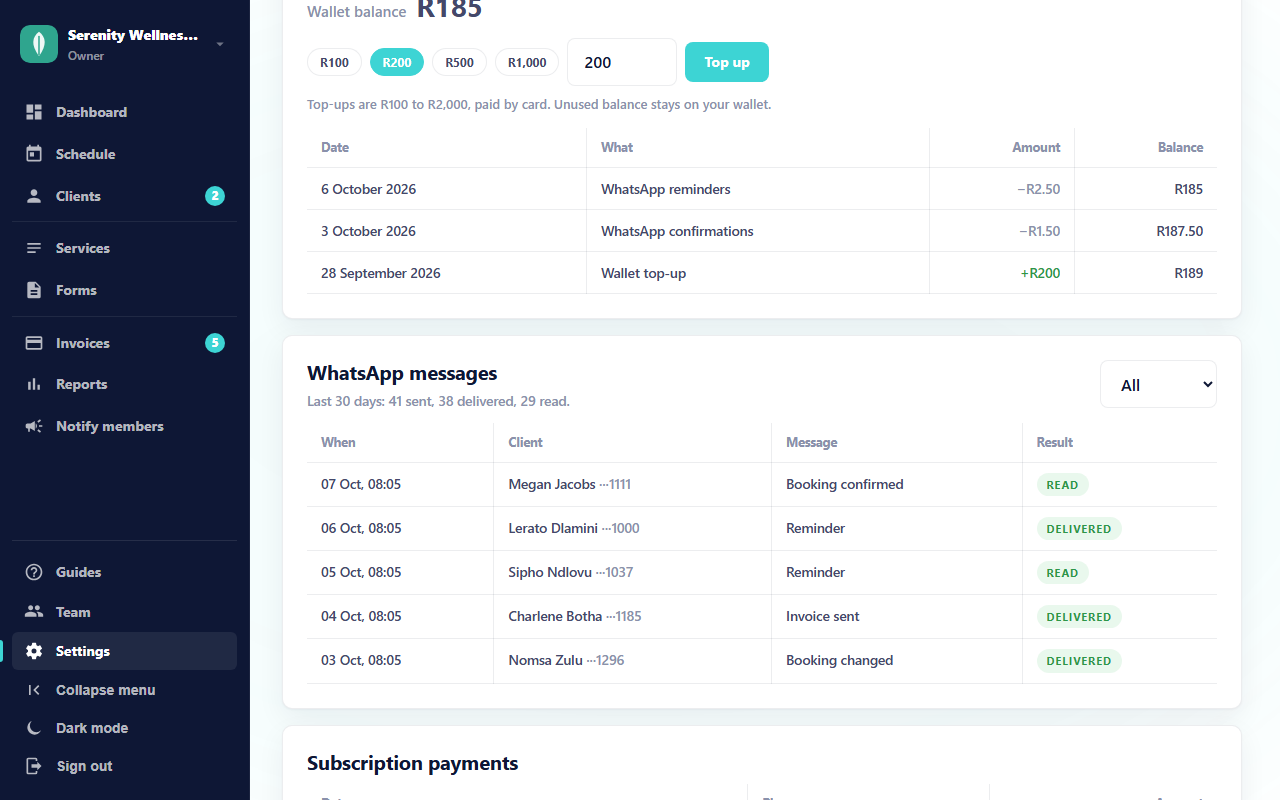
- Under Wallet balance, click an amount (R100, R200, R500 or R1,000), or type your own between R100 and R2,000.
- Click “Top up”.
- Pay by card on the secure payment page. You come back to Billing, and your balance is updated.
Good to know
- A new wallet starts empty, so turn WhatsApp on and top up for messages to go out.
- Switching it back to “Off” stops all further spending.
- Unused balance stays on your wallet.
- The wallet table shows every top-up and every message charge or refund.