How to get an email when a client books or cancels
Turn on owner notification emails and choose where they go.
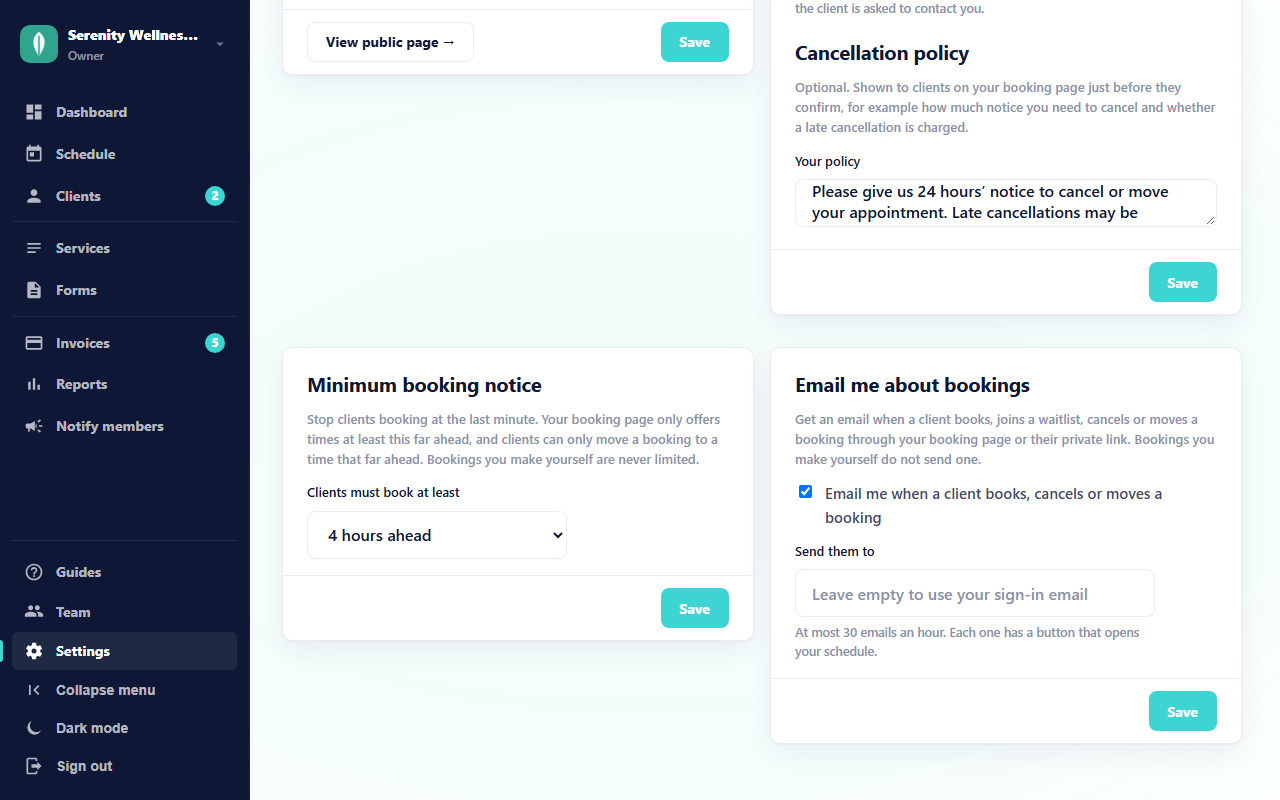
Steps
- Open Settings and click the “Booking page” tab.
- Find “Email me about bookings”.
- Tick “Email me when a client books, cancels or moves a booking”.
- Under “Send them to”, type another address, or leave it empty to use your sign-in email.
- Click “Save”.
Good to know
- It covers clients booking, joining a waitlist, cancelling or moving, through your booking page or their private link.
- Bookings you make yourself do not send an email.
- You get at most 30 emails an hour. Each has a button that opens your schedule.