Opening hours and minimum booking notice
Set when clients can book, and how far ahead they must book.
Steps
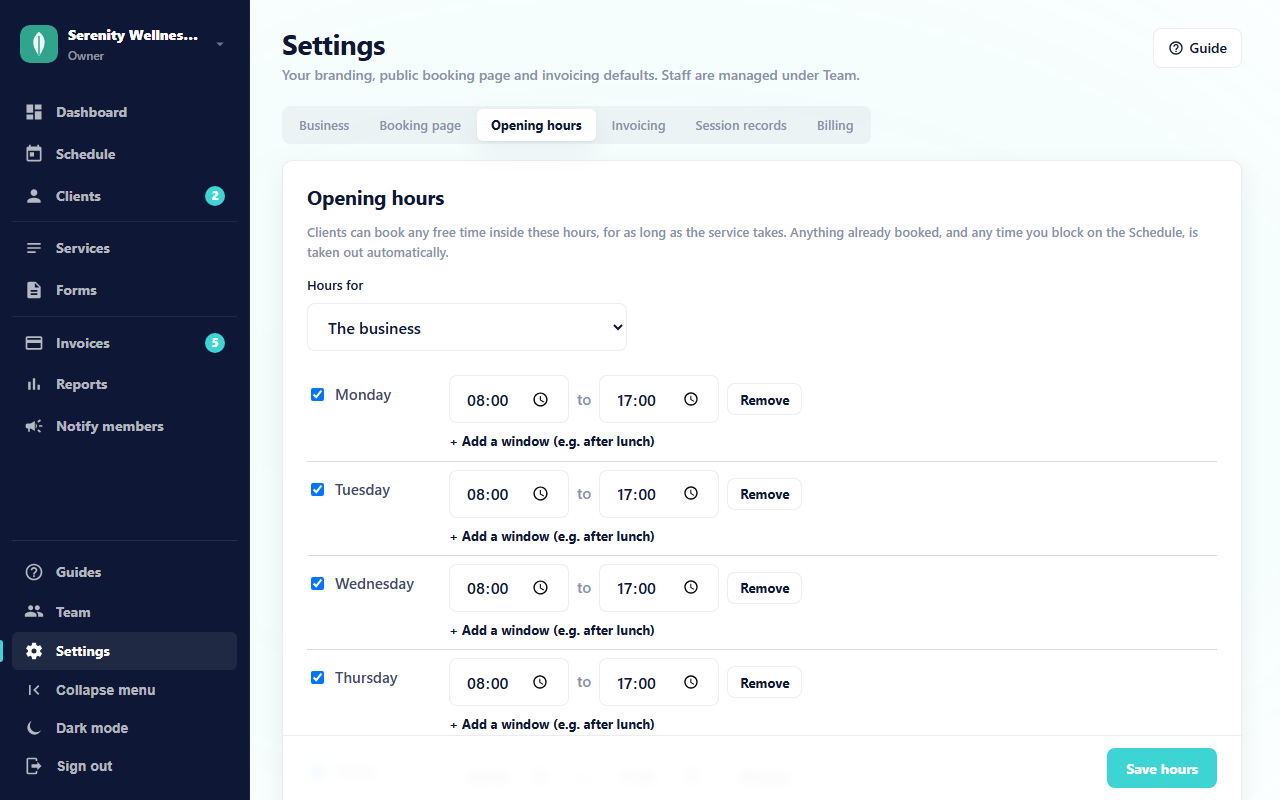
- Open Settings and click the “Opening hours” tab to set your weekly hours.
- Save your hours.
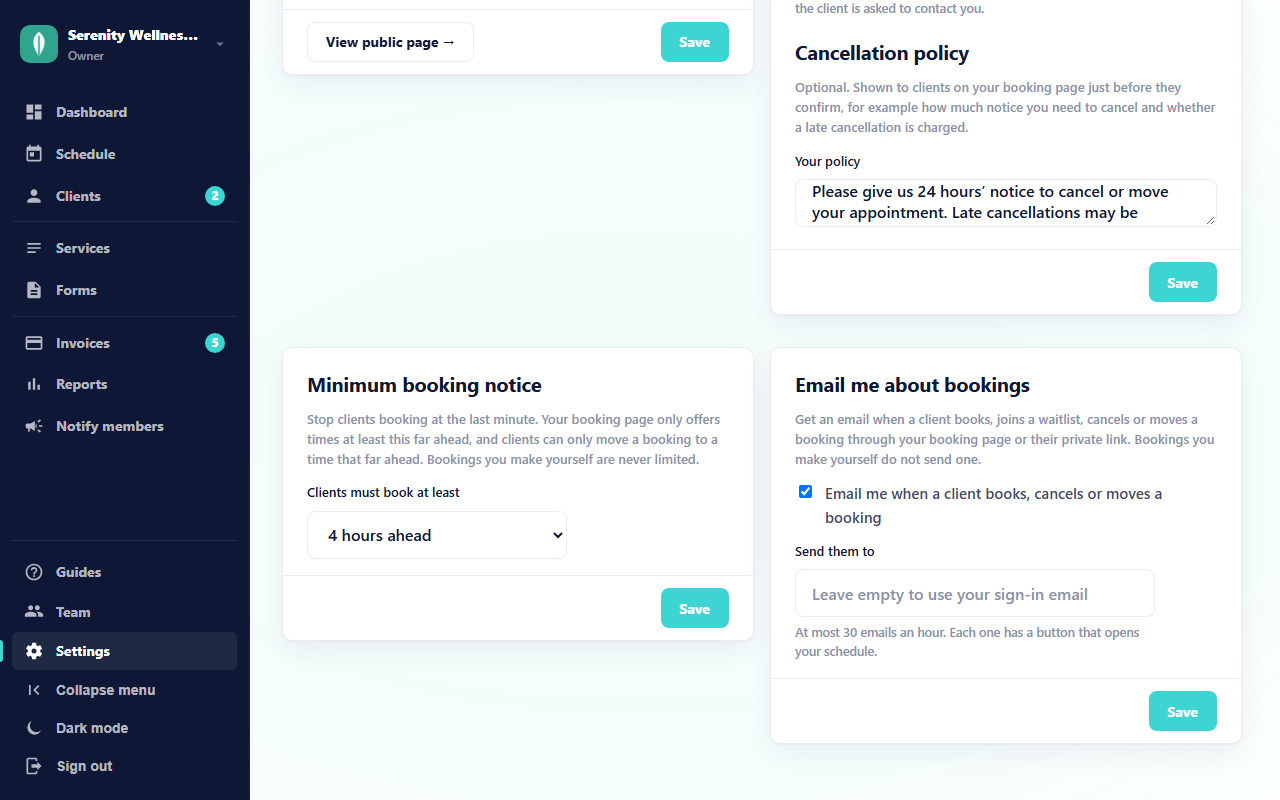
- Open the “Booking page” tab and find “Minimum booking notice”.
- Under “Clients must book at least”, choose from No minimum up to 1 week ahead.
- Click “Save”.
Good to know
- Appointment times are offered inside your opening hours, for as long as the service takes.
- Minimum notice limits both new bookings and moving a booking. Bookings you make yourself are never limited.
- With 24 hours chosen, nothing earlier than tomorrow at this time is offered.